
Twitch can block terms in chat, but its settings take one word at a time, which is unworkable for a list of any size. Build a list above and use a browser extension to paste the whole thing in one go.
Building…
Built from live ratings when you loaded this page — not a file kept somewhere and forgotten. The Open as a URL link is stable, so a bot can fetch a fresh list on restart instead of shipping a copy that goes out of date.
Unfortunately, the included capability requires you add one word at a time. Luckily, there are alternatives that will allow you to use a bulk list like ours from PotentiallyOffensive.com, one of which is documented below.
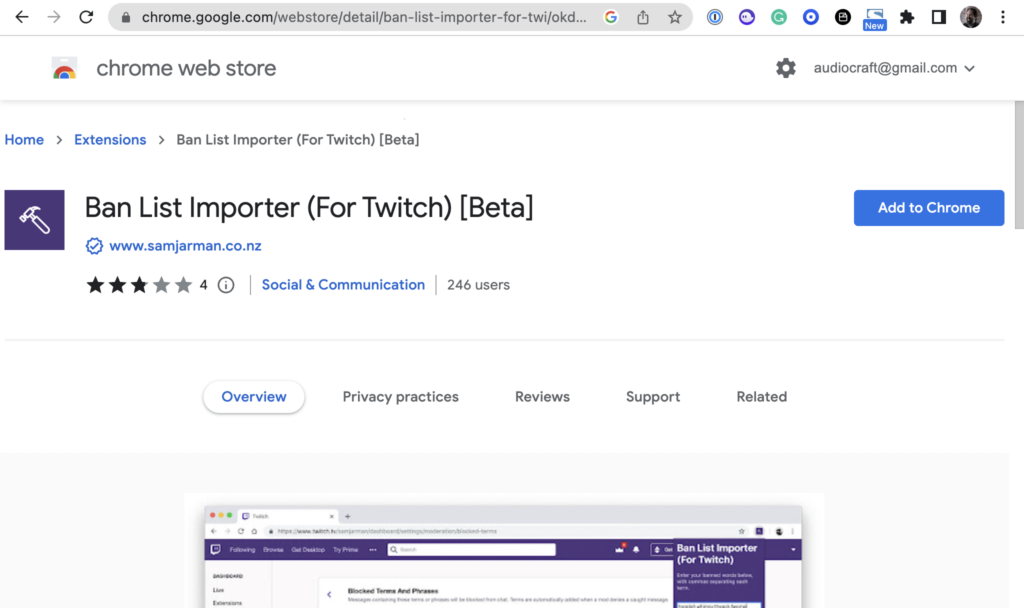
Using the Google Chrome browser, install the “Ban List Importer (For Twitch)” plug-in, which you can get here by clicking the “Add to Chrome” button as shown below.
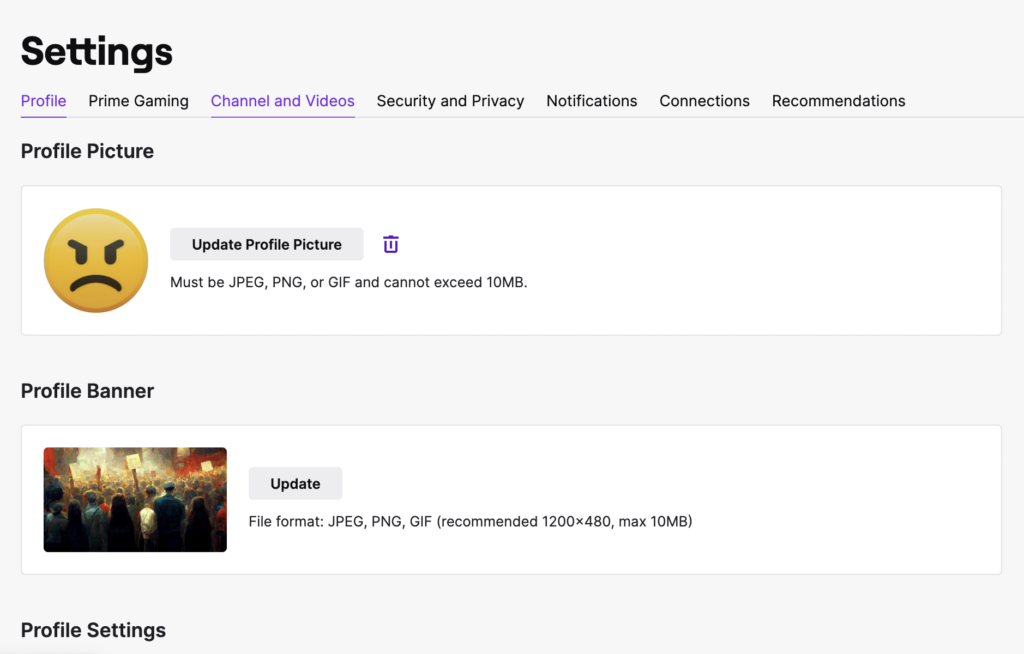
From within your Twitch account, select settings and then choose the “Channel and Videos” tab.
Next choose “Moderation” from the menu that appears on the left.
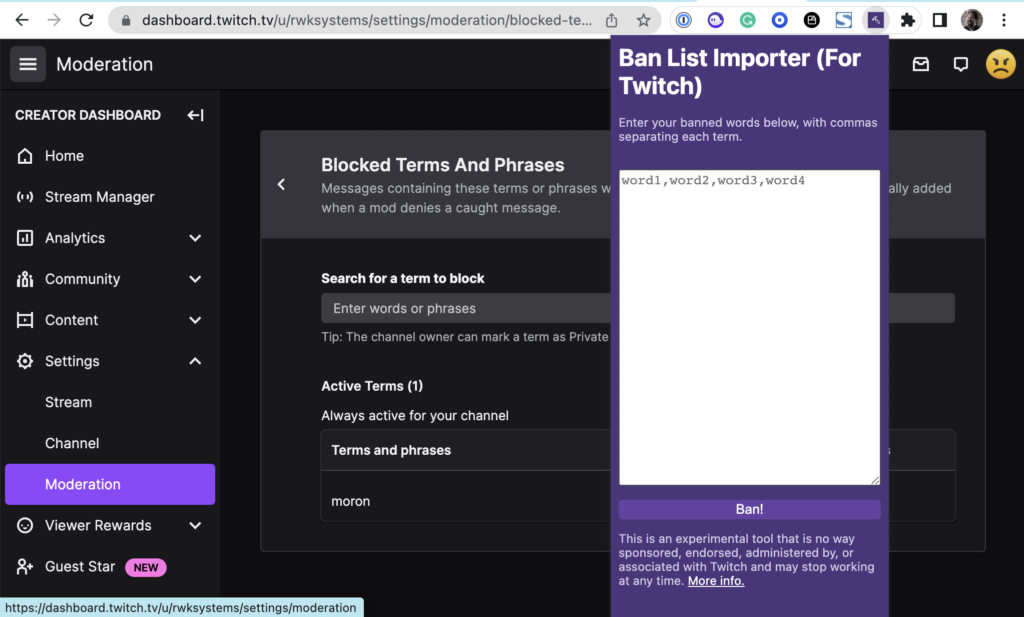
More details on the plug-in can be found at https://www.samjarman.co.nz/blog/ban-list-importer
Choose One per line above, which is what the importer expects. That extension is written and maintained by a third party, not by us.