
Discord’s AutoMod blocks messages containing words you choose. Build a list above, copy it, and paste it into a Block Custom Words rule. A rule holds up to 1,000 keywords, so every list here fits inside one.
Building…
Built from live ratings when you loaded this page — not a file kept somewhere and forgotten. The Open as a URL link is stable, so a bot can fetch a fresh list on restart instead of shipping a copy that goes out of date.
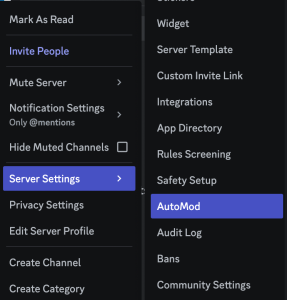
To begin, click on your server from the channels list on the left of the screen and select “Server Settings” and choose “AutoMod”.
From the AutoMod menu, click on “Block Custom Words” from the bottom of the menu shown.
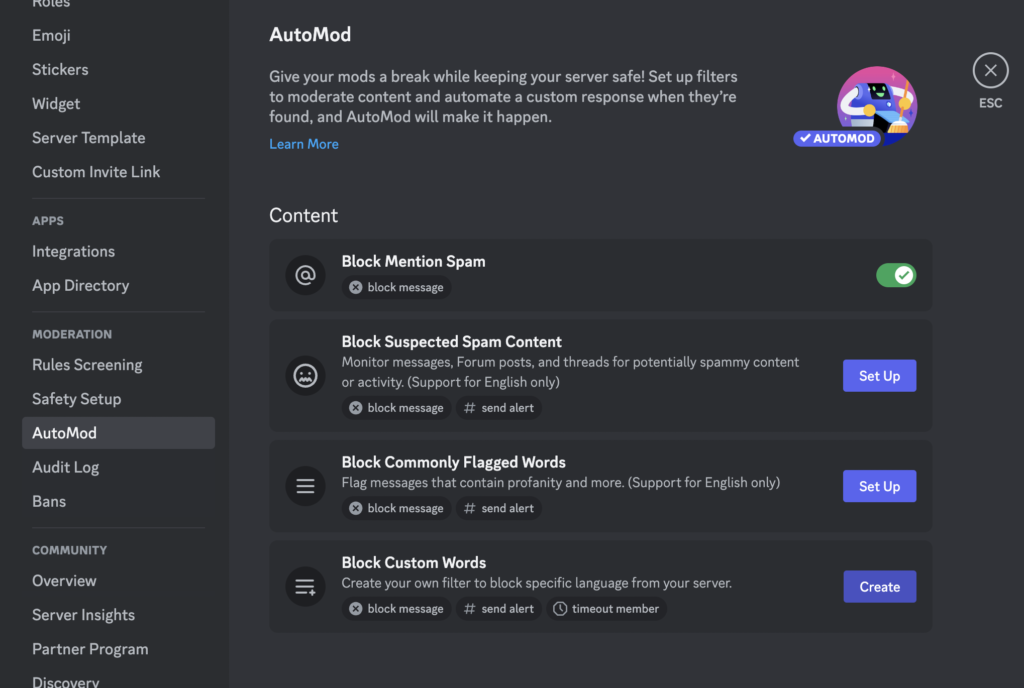
You’ll now see where you can paste in a comma separated list of offensive terms for the value of “1) Choose your words”.
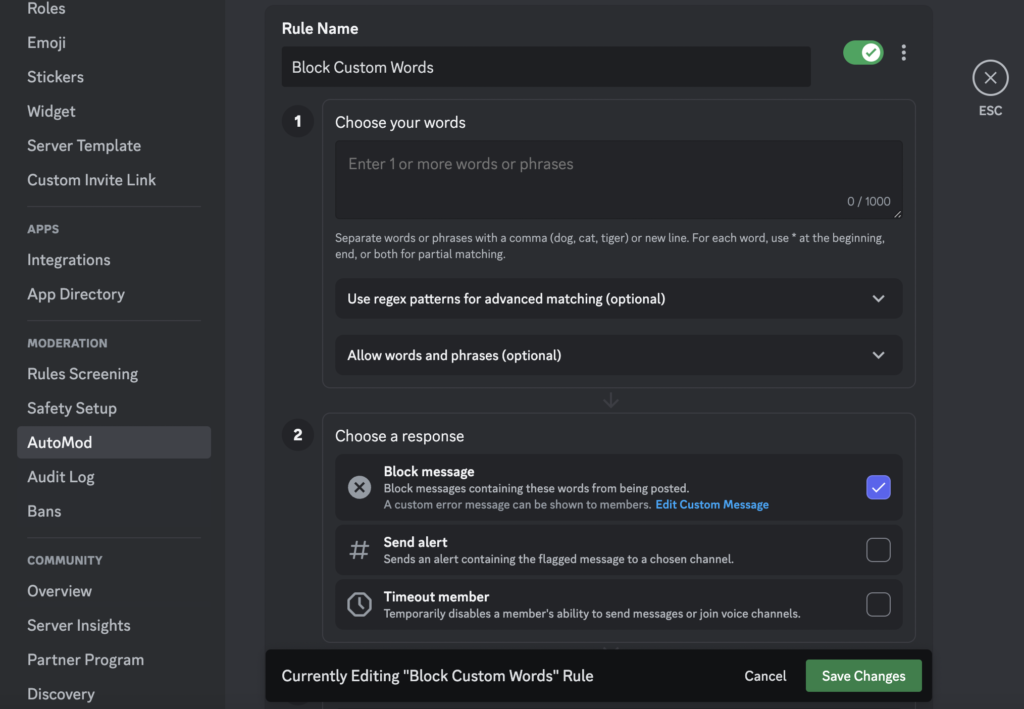
Now you can paste the list into this text box to add the terms to be blocked on your Discord server.
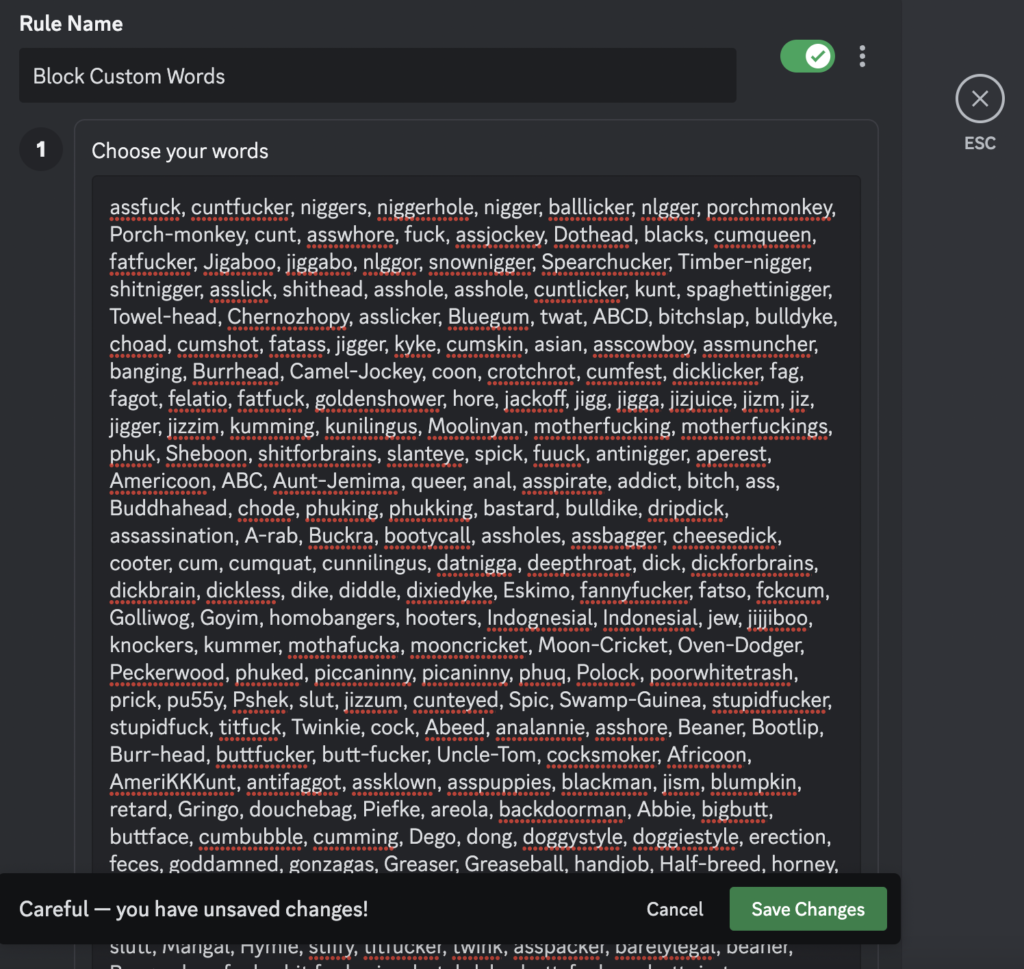
Save your changes, and you should see the total words (up to 1,000) confirming they were applied successfully.
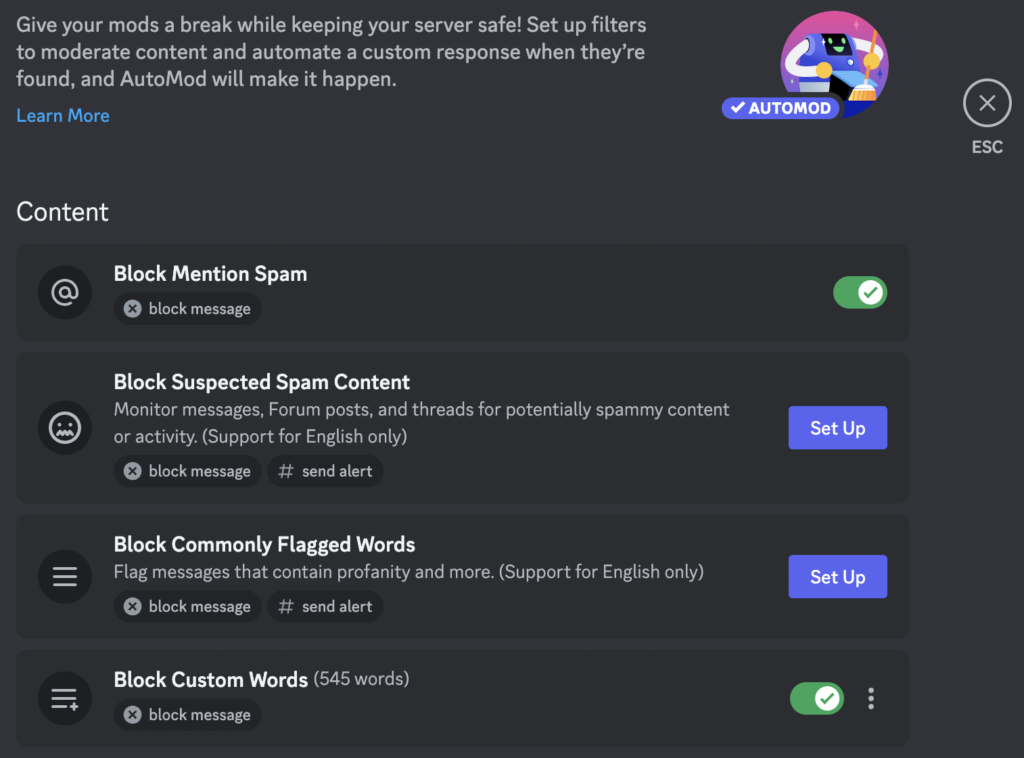
Once you have done this, any messages containing words from the list will be automatically blocked, you may be alerted or you may have the member suspended for a period of time based on your preferences.
Choose Comma separated above — that is the shape AutoMod’s keyword box expects. Raising the severity, or the number of ratings behind each term, gives a shorter and more confident list; lowering it casts a wider net.