
WordPress can hold or bin comments containing words you choose, with no plugin needed. Build a list above, copy it, and paste it into Settings ? Discussion.
Building…
Built from live ratings when you loaded this page — not a file kept somewhere and forgotten. The Open as a URL link is stable, so a bot can fetch a fresh list on restart instead of shipping a copy that goes out of date.
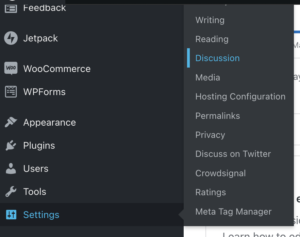
Logged into your WordPress account, navigate to Settings > Discussion
Based on your desired outcome, use Comment Moderation (to force moderation of comments that contain these words) or the Disallowed Comments (to automatically trash any comments that contain these words). To populate these fields, paste the content below which contains one term per line.
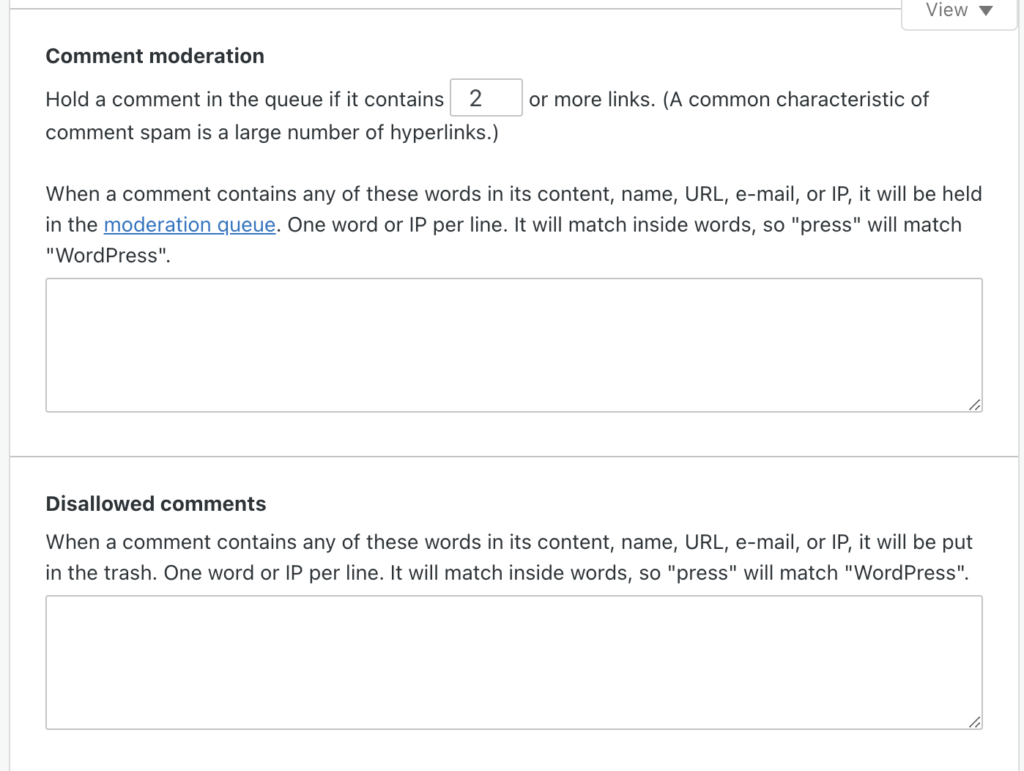
With the terms pasted in, scroll back up until you see the “Save Settings” button and click that to complete the process.
Choose One per line above; WordPress expects one word or phrase per line. Paste into Disallowed Comment Keys to bin matching comments outright, or into Comment Moderation to hold them for review. These match inside words, so a short entry catches more than you expect — “bung” also matches “bungalow”.